


Tired of juggling between participating in a meeting and frantically scribbling notes? Imagine a world where every word spoken in your virtual meetings is captured, transcribed, and summarized, all without you lifting a finger. That world is here, thanks to Fathom AI. This innovative tool isn’t just another tech gadget; it’s your personal meeting assistant, ensuring you never miss a crucial detail again.
Ready to reclaim your focus and boost your productivity? Let’s dive into how Fathom AI is changing the game for professionals everywhere.
What is Fathom AI?
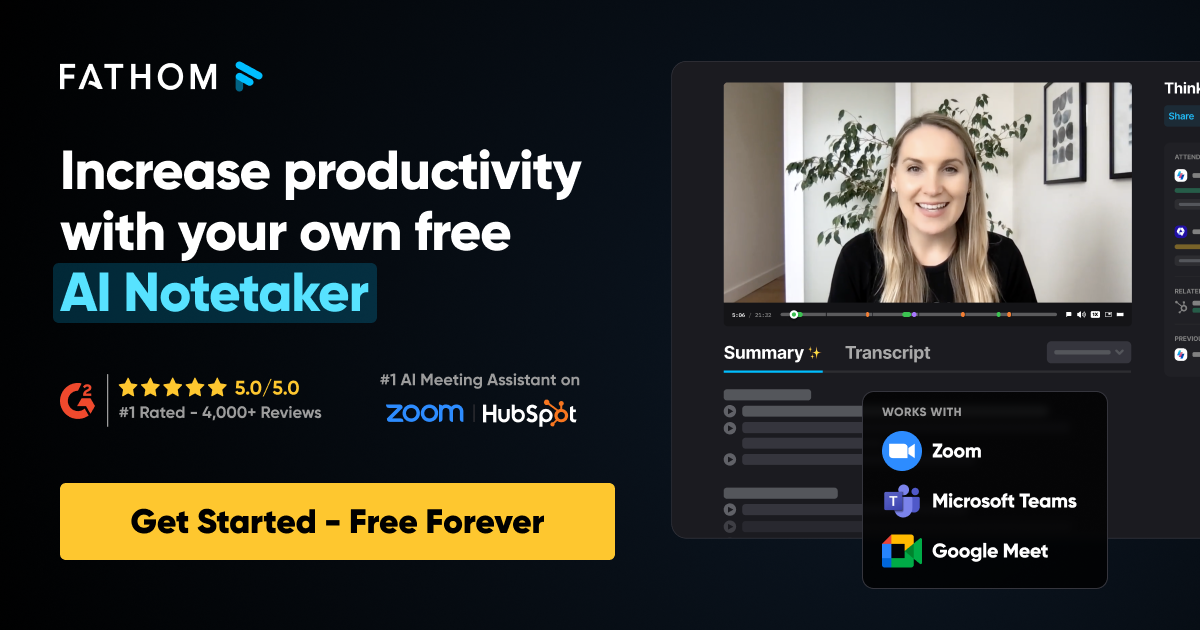
Fathom AI is an intelligent, free AI meeting assistant designed to automate the entire note-taking process for your virtual meetings. Once installed, it seamlessly integrates with your calendar and automatically records all your scheduled meetings. But it doesn’t stop there. Within an astonishing 30 seconds after your meeting concludes, Fathom AI delivers a comprehensive transcription and a concise summary directly to you.
Think of it as having a hyper-efficient personal assistant who attends every meeting with you, silently capturing everything, and then hands you the perfectly organized notes you always wished you had.
Key Features at a Glance:
- Automatic Recording: No more manual clicks to start recording. Fathom AI handles it all.
- Instant Transcription: Get a word-for-word transcript of your entire meeting.
- Rapid Summarization: Receive a clear, actionable summary, often within half a minute.
- Meeting Type Customization: Tailor summaries for demos, sales calls, or team stand-ups.
- CRM Integration: Sync summaries and action items with popular CRMs like HubSpot and Salesforce.
This powerful tool is purpose-built to free up your mental bandwidth, allowing you to fully engage in discussions and build stronger connections, rather than getting bogged down in administrative tasks.
How Fathom AI Works: The Magic Behind the Scenes
You might be wondering, “Okay, this sounds great, but how does it actually do all of this?” The magic of Fathom AI lies in its simple yet powerful workflow. It’s designed to be a silent partner, working in the background so you can focus on the conversation. Here’s a step-by-step look at the process, from joining your meeting to delivering your summary:
1. The Silent Entry: Auto-Join
After you install the Fathom AI application and connect your calendar, it gets to work. Fathom AI automatically identifies your upcoming meetings on platforms like Zoom, Google Meet, and Microsoft Teams. When the meeting starts, a discrete Fathom bot joins the call as a participant. It’s often named something like “Fathom” or “AI Notetaker,” and you can even customize its name in your settings for a more personal touch.
2. Real-Time Transcription
Once in the meeting, Fathom AI begins its core function: real-time transcription. It listens to the conversation and converts spoken words into a live, written transcript. Fathom’s advanced AI uses natural language processing (NLP) to not only transcribe with high accuracy but also to identify different speakers. This means you get a clear record of who said what, making it easy to follow the flow of the conversation and track individual contributions.
3. Capturing Key Moments with AI and Human Input
This is where Fathom truly shines. While it’s transcribing, its AI is also intelligently listening for key phrases, decisions, and action items. However, you can also give it a helping hand. During the meeting, you can use customizable, one-click tags (like “Highlight,” “Action Item,” or “Follow-up”) to manually mark important moments. This gives the AI a clear signal on what’s most critical, ensuring your summary is perfectly tailored to your needs.
4. The 30-Second Summary
As soon as the meeting ends, the AI goes into hyper-drive. It takes the full transcription, the highlights you’ve tagged, and its own algorithmic insights to generate a concise, easy-to-read summary. The goal is to distill a 30-minute meeting into a one-minute read. Within an incredible 30 seconds, you’ll have a summary, a list of action items, and key takeaways ready for review and sharing.
5. Seamless Integration & Organization
The final step is making this data actionable. Fathom AI doesn’t just leave you with a file; it integrates the information directly into your workflow:
- CRM Sync: It can automatically push the summary, key notes, and action items directly into your HubSpot, Salesforce, or other supported CRM, keeping your deal records and client information up to date without any manual data entry.
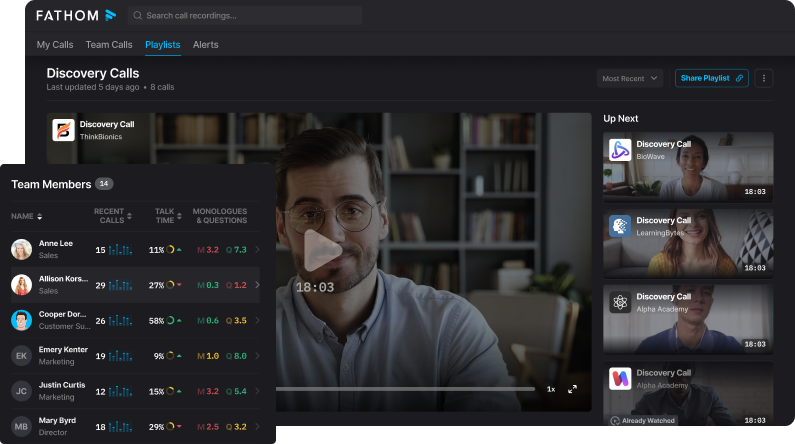
- Centralized Library: All of your recorded meetings, transcripts, and summaries are stored in a single, searchable dashboard. This creates a powerful, personal library of all your conversations, making it easy to search for a specific detail from a meeting months ago.
- Shareable Clips: You can also create short, shareable video clips of key moments directly from the transcript, perfect for sharing with colleagues on Slack or for training purposes.
In essence, Fathom AI automates the entire back-end of the meeting process, from note-taking to data entry, allowing you to focus on the human connection in the moment and ensuring you always have a perfect record for future reference.
Who Needs Fathom AI?
In today’s fast-paced professional landscape, virtually anyone who attends virtual meetings can benefit immensely from Fathom AI. However, certain roles and industries will find this tool absolutely indispensable. If you find yourself nodding along to any of the descriptions below, Fathom AI is definitely for you:
- Sales Professionals: Are you constantly on sales calls, demos, and client pitches? Fathom AI ensures every objection, every requirement, and every follow-up action is captured. No more trying to recall details from a dozen different conversations – Fathom AI keeps you organized and helps you close deals faster.
- Customer Success Managers: Building strong client relationships means remembering details and promises. Fathom AI helps you keep track of customer needs, feedback, and resolutions, ensuring top-tier service and proactive support.
- Project Managers & Team Leaders: Facilitating team meetings, stand-ups, and planning sessions? Fathom AI provides accurate records of decisions, action items, and assigned responsibilities, streamlining project management and accountability.
- Consultants & Coaches: Every client interaction is critical. Fathom AI allows you to focus entirely on your client, knowing that all insights, advice, and next steps are meticulously documented for future reference.
- Busy Executives & Entrepreneurs: Your time is your most valuable asset. Fathom AI cuts down on the time spent on post-meeting administration, freeing you up to focus on strategic decisions and growth.
- Any Professional with Frequent Meetings: If your calendar is packed with virtual calls, and you dread the thought of summarizing them all, Fathom AI is your secret weapon for productivity and efficiency.
Whether you’re in Douala, Yaoundé, or anywhere across Cameroon, if your work involves virtual collaboration, Fathom AI is designed to make your professional life significantly easier and more effective.
Why Do You Need Fathom AI?
Let’s be honest, taking notes during a meeting is often a losing battle. You’re either fully present and miss important details, or you’re diligently writing and miss out on active participation. This is where Fathom AI steps in to solve real, everyday problems that plague professionals:
- Problem 1: Missing Key Details: You’ve left a meeting, only to realize you can’t quite remember a crucial action item or a specific client request.
- Fathom AI Solution: With full transcriptions and concise summaries, every detail is captured and easily retrievable, ensuring nothing falls through the cracks.
- Problem 2: Wasted Time on Manual Notes: Hours spent after meetings trying to decipher your scribbles, organize thoughts, and distribute summaries.
- Fathom AI Solution: Automated summaries within 30 seconds eliminate manual note-taking and post-meeting administrative burden, saving you countless hours each week.
- Problem 3: Lack of Focus During Meetings: You’re more concerned with getting everything down than with actively listening and contributing.
- Fathom AI Solution: By offloading the note-taking, Fathom AI empowers you to be fully present, engage meaningfully, and contribute your best ideas to the discussion.
- Problem 4: Inconsistent Follow-ups: Forgetting who promised to do what, leading to delays and missed opportunities.
- Fathom AI Solution: Clearly defined action items in the summaries ensure everyone knows their responsibilities, facilitating smoother follow-ups and accountability.
- Problem 5: Difficulty Onboarding New Team Members: Bringing a new team member up to speed on past discussions and decisions can be a headache.
- Fathom AI Solution: A searchable database of past meeting summaries provides instant context for new hires, accelerating their integration and productivity.
- Problem 6: Disconnected CRM Data: Manually updating your CRM with meeting notes is tedious and often gets overlooked.
- Fathom AI Solution: Seamless integration with popular CRMs like HubSpot and Salesforce means your meeting insights are automatically synced, enriching your customer data and sales pipeline without extra effort.
By solving these pervasive problems, Fathom AI doesn’t just save you time; it enhances your professional efficacy, improves team collaboration, and ultimately, helps you achieve your goals with greater ease and precision.
How to Use Fathom AI?
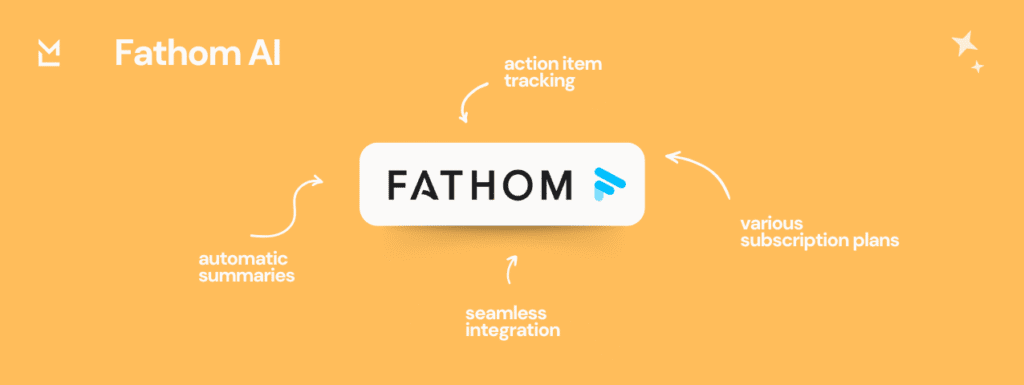
Using Fathom AI is incredibly straightforward, designed for maximum ease of use. You don’t need to be a tech wizard to get started and benefit from its powerful features.
Here’s a simple breakdown of how it works:
- Install the Fathom AI App/Extension:
- Visit the Fathom AI website or your browser’s extension store (it’s free!).
- Follow the simple instructions to add Fathom AI to your preferred meeting platform (Zoom, Google Meet, Microsoft Teams, etc.).
- Connect Your Calendar:
- Grant Fathom AI access to your calendar. This allows it to identify your scheduled meetings. Don’t worry, your privacy is paramount.
- Join Your Meetings as Usual:
- Once installed and connected, Fathom AI will automatically join your scheduled virtual meetings as a participant (don’t worry, it’s discreet).
- You can choose to notify other participants that Fathom AI is present for recording, ensuring transparency.
- Tag Key Moments (Optional, but Recommended):
- During the meeting, you can use quick, customizable tags (e.g., “Action Item,” “Decision Made,” “Key Insight”) to mark important moments in real-time. This helps Fathom AI generate even more precise summaries tailored to your needs.
- Receive Your Summary:
- Within 30 seconds of the meeting ending, Fathom AI will process the recording.
- You’ll receive a link to your meeting dashboard, where you can access:
- The full transcription.
- An AI-generated summary.
- Key highlights and action items.
- An audio recording (if enabled).
- Customize and Integrate:
- Indicate the meeting type (sales, demo, internal team meeting) for tailored summaries.
- Sync your meeting summaries and action items directly to your CRM (HubSpot, Salesforce, etc.) with a single click.
It’s that simple! Fathom AI handles the heavy lifting, leaving you free to engage and contribute effectively.
How to Get Fathom AI?
Fathom AI operates on a fantastic model – it’s primarily a free tool! This means you can start leveraging its powerful capabilities without any upfront cost.
To get started with Fathom AI and “buy” into its efficiency, simply follow these steps:
- Visit the Official Fathom AI Website: Your journey begins at the official source.
- Look for the “Get Started Free” or “Install Now” Button: This will guide you through the quick setup process.
- Install the Browser Extension/Desktop App: Fathom AI is usually installed as a browser extension (for Chrome) or a desktop application that integrates with your preferred meeting platform (Zoom, Google Meet, Microsoft Teams).
- Connect Your Accounts: Follow the prompts to connect your Google or Outlook calendar and give Fathom AI the necessary permissions to function.
While the core functionality is free, Fathom AI may offer premium features or enterprise plans for advanced needs, which you can explore on their website if your organization requires additional capabilities. However, for most individuals and small teams, the free version provides an incredible amount of value.
Where to Get Fathom AI?
The best and only place to officially “buy” or acquire Fathom AI is directly from its official Fathom AI website. This ensures you get the legitimate, most up-to-date version of the tool and access to all its features, support, and security.
Here’s why you should get Fathom AI from its official source:
- Authenticity Guaranteed: Ensure you’re downloading the real Fathom AI, free from malware or unofficial modifications.
- Latest Features: Access the newest updates, improvements, and AI model enhancements as soon as they are released.
- Direct Support: If you ever encounter an issue or have a question, you’ll have direct access to Fathom AI’s customer support.
- Secure Integration: Safely connect your calendar and CRM tools with the assurance of official security protocols.
- Access to Premium Options: Should you ever decide to upgrade to an enterprise plan or explore additional features, the official site is where you’ll find all the details.
Our Competitive Advantage:
Why are we recommending Fathom AI so strongly, and encouraging you to get it now? Because it stands out in a crowded market due to:
- Exceptional User Satisfaction: With nearly 6,000 reviews and a consistent 5-star rating on G2, Fathom AI’s performance and user experience are tried and tested by thousands of professionals globally. This isn’t just a good tool; it’s a loved tool.
- Proven Growth and Innovation: Fathom reports a staggering 90x revenue increase since 2022, and successfully closed a Series A $17M funding round ($2M from crowdfunding!). This rapid growth and substantial investment indicate a robust, forward-thinking company committed to continuous improvement and delivering cutting-edge solutions.
- FREE-Forever Plan: Unlike many competitors that gate essential features behind paywalls, Fathom AI offers a powerful, free-forever plan that is more than sufficient for most individual users. This makes it incredibly accessible and a zero-risk way to transform your meeting productivity.
- Seamless CRM Integration: Its ability to directly sync summaries and action items with top CRMs like HubSpot and Salesforce is a massive time-saver for sales and customer success teams, making it an invaluable part of your sales and marketing tech stack.
Don’t miss out on the opportunity to streamline your workflow and elevate your meeting productivity.
Testimonials
<model></model>
Here’s what users are saying about how Fathom AI has transformed their professional lives:
As a sales manager in Paris, my calendar is always packed with client calls. Before Fathom AI, I’d spend hours post-meeting trying to recall every detail for my CRM. Now, within seconds, I have a perfect summary and action items, automatically synced to Salesforce! My team’s follow-up rate has skyrocketed, and we’re closing deals faster than ever. It’s truly a game-changer!” – Mamadou, Sales Manager
“Managing projects across different time zones means I’m in meetings day and night. Fathom AI has become my lifeline. I can finally focus on the discussion, knowing every decision and task is captured. The custom summary types are brilliant for our sprint planning meetings. It’s like having an extra brain, and frankly, I don’t know how I managed without it. Highly, highly recommended!” – Nathalie, Project Lead
“I was skeptical about another ‘AI tool,’ but Fathom AI blew me away. The free plan is incredibly robust, and the accuracy of the transcriptions and summaries is just phenomenal. For a small business owner in Cameroon, every minute counts, and Fathom AI has given me back hours each week. It’s professional, efficient, and genuinely makes my work life so much easier. You absolutely need to try this!” – Serge, Entrepreneur & Consultant
Conclusion
In a world demanding constant efficiency and full engagement, Fathom AI emerges as a beacon of innovation for professionals. It’s more than just a note-taking tool; it’s a productivity revolution that allows you to be fully present in your meetings, confident that every crucial detail is captured, summarized, and ready for action.
By eliminating the tedious task of manual note-taking and seamlessly integrating with your existing workflow, Fathom AI doesn’t just save you time – it enhances your focus, improves your follow-ups, and ultimately, boosts your professional impact. With its stellar reviews, proven growth, and a powerful free-forever plan, there’s no reason not to experience the transformation for yourself.
Stop taking notes and start making an impact.
Ready to elevate your meeting game and reclaim your precious time? Click here to get started with Fathom AI today and experience the future of meeting productivity!




I’ve been using Fathom AI for a few weeks now and it’s completely changed how I handle meetings. The summaries are so accurate!
This is a game-changer! I can actually pay attention in meetings instead of scribbling notes. Fathom AI is a must-have.
I’ve heard of Fathom AI before. The summary feature sounds good. I might check out their website later.
Absolutely amazing! Fathom AI has freed up so much of my time. Highly recommend it to anyone with a busy schedule.
I can’t believe it’s free. The value Fathom AI provides is incredible. Every professional should be using this.
Finally, a tool that understands the pain of note-taking. The 30-second summary is a lifesaver. Great post on this!
This post is spot on. Fathom AI has been a secret weapon for my team’s productivity. The call-to-action feature is so handy.
Interesting post on Fathom AI. I might check it out when I have some time.
Incredible tool! The fact that it syncs with Salesforce automatically is a huge plus for me. Thanks for the detailed review.
I was skeptical at first, but Fathom AI really delivers. My follow-ups have become so much more efficient.
If you are tired of manually taking meeting notes you have to try this tool. It is incredible!
I’ve been using Fathom AI for a few weeks now and it’s completely changed how I handle meetings. The summaries are so accurate!
This is a game-changer! I can actually pay attention in meetings instead of scribbling notes. Fathom AI is a must-have.
Absolutely amazing! Fathom AI has freed up so much of my time. Highly recommend it to anyone with a busy schedule.
I can’t believe it’s free. The value Fathom AI provides is incredible. Every professional should be using this.
Finally, a tool that understands the pain of note-taking. The 30-second summary is a lifesaver. Great post on this!
This post is spot on. Fathom AI has been a secret weapon for my team’s productivity. The call-to-action feature is so handy.
Incredible tool! The fact that it syncs with Salesforce automatically is a huge plus for me. Thanks for the detailed review.
If you are tired of manually taking meeting notes you have to try this tool. It is incredible!
I’ve been looking for a tool like this for a long time. The AI summaries are surprisingly good. I’m telling all my colleagues about this.
This is so cool! I have tried other tools but this one is very easy to use. I can not wait to give this a shot!
I am very impressed. From the transcription to the CRM integration, this is a must-have for all business people. Thank you for this!
Interesting post on Fathom AI. I might check it out when I have some time.
Seems like a useful tool for some people. The CRM integration is a good feature.
I’ve been using Fathom AI for a few weeks now and it’s completely changed how I handle meetings. The summaries are so accurate!
This is a game-changer! I can actually pay attention in meetings instead of scribbling notes. Fathom AI is a must-have.
Absolutely amazing! Fathom AI has freed up so much of my time. Highly recommend it to anyone with a busy schedule.
I can’t believe it’s free. The value Fathom AI provides is incredible. Every professional should be using this.
Finally, a tool that understands the pain of note-taking. The 30-second summary is a lifesaver. Great post on this!
This post is spot on. Fathom AI has been a secret weapon for my team’s productivity. The call-to-action feature is so handy.
Incredible tool! The fact that it syncs with Salesforce automatically is a huge plus for me. Thanks for the detailed review.
If you are tired of manually taking meeting notes you have to try this tool. It is incredible!
I’ve been looking for a tool like this for a long time. The AI summaries are surprisingly good. I’m telling all my colleagues about this.
This is so cool! I have tried other tools but this one is very easy to use. I can not wait to give this a shot!
I am very impressed. From the transcription to the CRM integration, this is a must-have for all business people. Thank you for this!
I’ve been using Fathom AI for a few weeks now and it’s completely changed how I handle meetings. The summaries are so accurate!
This is a game-changer! I can actually pay attention in meetings instead of scribbling notes. Fathom AI is a must-have.
Absolutely amazing! Fathom AI has freed up so much of my time. Highly recommend it to anyone with a busy schedule.
I can’t believe it’s free. The value Fathom AI provides is incredible. Every professional should be using this.
Finally, a tool that understands the pain of note-taking. The 30-second summary is a lifesaver. Great post on this!
This post is spot on. Fathom AI has been a secret weapon for my team’s productivity. The call-to-action feature is so handy.
Incredible tool! The fact that it syncs with Salesforce automatically is a huge plus for me. Thanks for the detailed review.
I was skeptical at first, but Fathom AI really delivers. My follow-ups have become so much more efficient.
If you are tired of manually taking meeting notes you have to try this tool. It is incredible!
I’ve been looking for a tool like this for a long time. The AI summaries are surprisingly good. I’m telling all my colleagues about this.
This is so cool! I have tried other tools but this one is very easy to use. I can not wait to give this a shot!